The internet moves on and the next big thing that gets dropped is the support for older versions of TLS (Transport Layer Security). If you not already have done so, now would be a good time to check that your server understands TLS 1.2 and disable the older versions of TLS on your web servers.
A few months ago, my co-worker Lukas run into a problem when he wanted to deploy code with pipelines in Azure DevOps. As a final step, he needed to restart the web server. That is no problem in an interactive session on the machine itself, you just add sudo in front of the command and enter your password. Doing this as part of a pipeline is not a great idea – you would need to write down your password and put it into Azure DevOps.
Most security scanners detect the activated OPTIONS method of HTTP/S and report them as a potential problem. This method can help an attacker to find out about your server configuration and offer a shortcut to other vulnerabilities. However, there are valid use cases to use the OPTIONS method, like for REST APIs or CORS. If you need the OPTIONS method for those use cases, you need to keep it active and should document their usage in your architecture documentation.
Let’s Encrypt offers free SSL certificates to protect the traffic between your website and your visitors. Earlier this year I wrote about the hoops you need to jump through to use those certificates on Azure. This post shows you a way to use Let’s Encrypt certificates on your on-premises servers.
The objective of Let’s Encrypt and the ACME protocol is to make it possible to set up an HTTPS server and have it automatically obtain a browser-trusted certificate, without any human intervention. This is accomplished by running a certificate management agent on the web server.
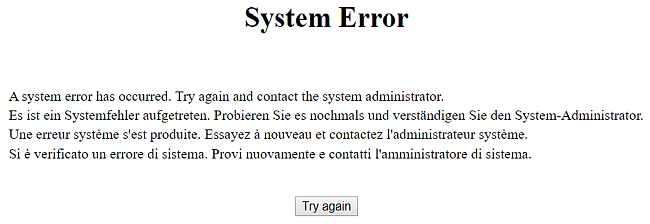
A few weeks ago, we run into a strange problem. We were in the middle of our Let’s Encrypt rollout, in which we create a dedicated certificate for each of our domains. Since we run multiple domains on a single web server with only one IP address, we need to activate SNI (Server Name Indication). That worked on all our servers - expect one. That server gave us this useless error page:
There is always that one machine that you cannot upgrade on a current version because some dependencies outside of your control demand that specific configuration. You may postpone the inevitable, but one day you run out of luck. If your box is a web server, that day will come sooner than you think.
Out of the box, IIS on Windows Server 2008 R2 offers Transport Layer Security only in version 1 (TLS 1.0). That version is outdated and should not be used for securing any HTTPS traffic. Unfortunately, you do not see the version your browser uses to connect to a web server and so it may be that this protocol is still active. If this is the case, your users will not be able to visit your web site when all major browsers block that version at the beginning of 2020.
Group Policy is a feature of the Windows operating system that lets you define company-wide rules that are applied to all accounts and machines in an organisation. For example, your company can use a ruleset in a Group Policy Object (GPO) to prevent you from accepting third-party cookies in your browser or set the location of your home directory to somewhere else than C:\Users\yourname. When everything works as it should, you do not need to know anything about them. However, when things go wrong you better know at least the two commands I explain in this post.
Most web sites now use SSL. While this a great increase of security, there is one situation in which this is a bad thing: Connecting to a WiFi network that tries to add a login screen into the website you requested. This is not possible and without that login (and accepting the terms of service) you do not get an internet connection. What can you do when you travel abroad and need to circumvent this protection?
At the user group meetup last week Damien Bod shared many valuable insights in how to protect your applications. Among the many tools he showed was securityheaders.com. Unfortunately for us, this test site calculated a very bad result for the user group site:
We took this result as a challenge to improve it quickly and to share what you need to do to improve this rating. Thanks to another tool Damien told us about it only took 10 minutes to get to the B rating.