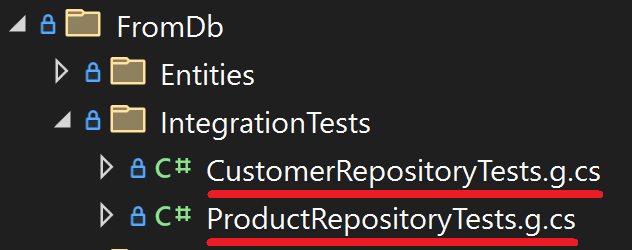
In last week's post we generated repositories to access our tables. But do they work, or did we overlook something? Let us find out if everything works as expected by generating integration tests for our repositories.
Limitations and the *.ttincludes files
Be aware of the limitations of the code generators we create in this blog series. The reason for that is the limited space in a blog post and not due to T4.
You can find the code for the _DbAccess.ttinclude and the _Imports.ttincludein this post.
Challenges of integration tests
Our repositories offer us 4 methods to cover the CRUD operations and we now want a test for each method to make sure they work. As simple as this sound, there are a few challenges we need to address.
Getting meaningful data into our tests is the main problem. Especially when we consider that our generator could create tests for hundreds of classes. If we do not want to drown in an endless dictionary of test data, we need a different approach. We can cheat a little by creating a test data generator for each entity by hand and only call it from the generated integration tests. That way we get all the flexibility and still can generate useful tests.
The other important problem is that we need some data in the database for our Update(), FindById(), and Delete() tests. While we could use a pre-seeded database, we can cheat again and call the Insert() method in all our tests. That way we always have the right data in place and do not need to first add data to the database. Should our Insert() method have an error, all our tests will fail. This is a risk worth taking, then if everything fails, we know where to start checking for a problem.
The final obstacle we will run into is cleaning up after our tests. If we skip the housekeeping part, we will have 3 tests per repository that will leave data behind. But since we use a database in our tests, we can use transactions. If we do not commit the changes at the end, then no data will be left behind. We can keep the database in a clean state and still get all the advantages of writing to a database for our tests.
Create the integration tests generator
For our integration test code generator, we create a new template named IntegrationTestGeneratorFromDb.tt, add our *.ttincludes and write our test class inside a loop through our tables:
usingSystem;usingGenerateCodeFromDb.FromDb.Entities;namespaceGenerateCodeFromDb.TestDataGenerators;publicclassProductGenerator{publicstaticProductGetTestData(){returnnewProduct(){Name="Generator Y",Description="a basic product",CreatedOn=newDateTime(2024,4,1,5,6,8)};}publicstaticProductGetDataForUpdate(){returnnewProduct(){Name="Car 2",Description="a small car",CreatedOn=newDateTime(2023,1,2,3,4,5)};}}
Run the tests
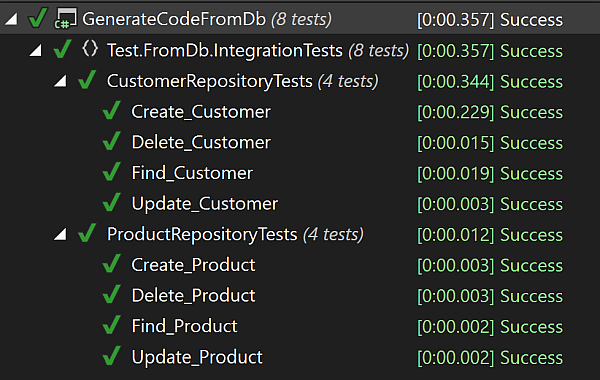
We can now compile our project and run our tests. They all should pass:
Next
With our newly generated integration tests we know that our repositories work. We only covered the happy path of having valid data, but it only takes a small amount of extra work to test more edge cases.