Repository Aliases in GitHub Desktop
If you have two repositories with the same name in GitHub Desktop, you have a hard time to figure out which one is which:
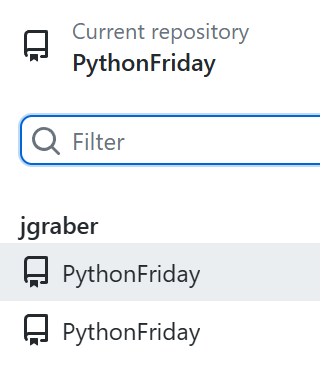
This can happen when we need to work on a fork of the project and the original one at the same time or when we have a backup in a different folder where we need to check something but do not want to do the work in our main repository.
Set an alias
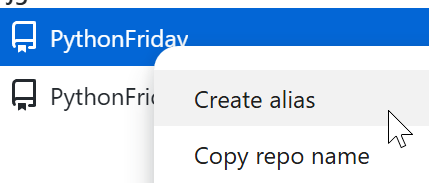
Luckily for us, GitHub Desktop offers us an easy way to differentiate the two repositories. We can right-click on one of the repositories and set an alias:
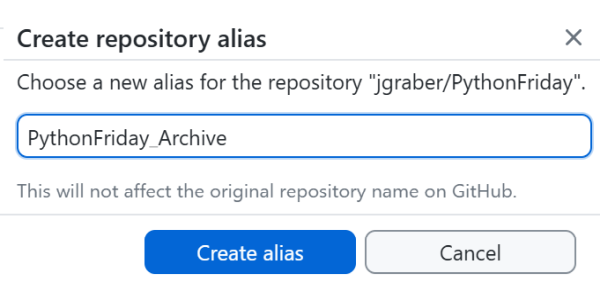
We can now set a name that makes it clear what the purpose of this repository copy is.
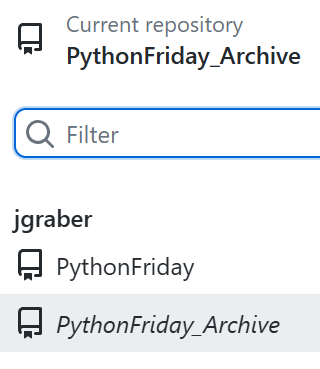
Change the alias
Should we at some point in the future no longer be happy with the alias we set, we can easily change it. Right-click on the repository and now select Change alias to give it a better name:

Remove the alias
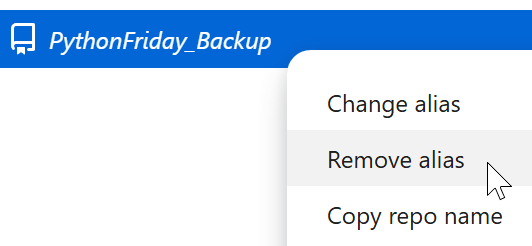
Should you no longer need the alias you can simply remove it:
Conclusion
This little trick with setting a repository alias is a great help. It makes clear what repository you are working with and helps us to pick the right repository at the first try. Should you have two repositories with the same name, you definitely should try to add an alias.