The SSMS Tools Pack created by Mladen Prajdić is a great extension for the SQL Server Management Studio. In this post I will explain how you can use it to create test data from a small subset of your production database.
Today's post is not about software development. I like interesting pictures and the Spotlight images used in the lock screen of Windows 10 are often so interesting that I like to keep them for longer. Those images are stored on your computer, you only need to find them - but where?
Most web sites now use SSL. While this a great increase of security, there is one situation in which this is a bad thing: Connecting to a WiFi network that tries to add a login screen into the website you requested. This is not possible and without that login (and accepting the terms of service) you do not get an internet connection. What can you do when you travel abroad and need to circumvent this protection?
SQL Server uses a rather unconventional way to show you its version. If you open SQL Server Management Studio and connect to your database server, you will see something like the number 14.0.3015.40. This is the build number of your SQL Server version, but how do you translate this into a SQL Server version like SQL Server 2017 Cumulative update 15 (CU15)?
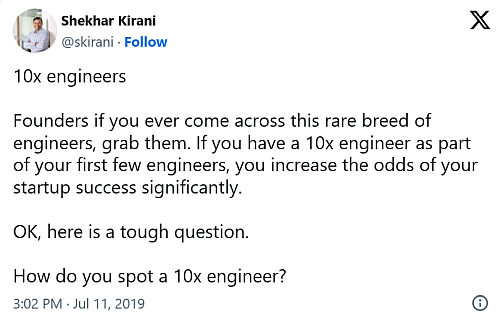
Over the last few days there was a big discussion on Twitter about 10x developers. Shekhar Kirani claimed many things about what 10x developers do and how one shout accept their oddities because they are so much better than the other developers and that they single-handedly will solve all problems. If you did not already have read any of those ideas, you can find them here:
Git is a powerful version control system for which you only need a few commands to get your daily tasks done. However, Git can do a lot more - but those commands are hard to remember and when you use them wrong, you may mess up your repository.
You can find many great resources to learn Git on try.GitHub.com. One of the more impressive ones is Visualizing Git. This browser-based "Git" visualises the effect your commands have on your repository. You can commit and branch as you like, while this tool updates the graphical representation of your actions. I find this a great help to understand the more advanced commands of Git.
The first time I tried the little task of downloading the SQL Server Data Tools in English it worked as intended. I went to the docs page at Microsoft.com, searched for the right version and made a click to start the download. As I tried this on my new company laptop, I constantly run into this error:
NDC Oslo keeps growing. This year you could choose from 19 pre-conference workshops and attend one of 10 parallel tracks throughout the 3 days of the conference. The mix of well-established speakers and newcomers was very interesting and nearly 2500 attendees found their way to the Oslo Spektrum.
My biggest challenge this year was to choose a session. Too often I wanted to attend 2, 3 or even 4 talks in the same time-slot. Luckily, the talks are all recorded and I can watch them soon. The agenda was very much in line with what my company wants to adopt in the near future. I will therefore have plenty of chances to put my newly gained knowledge into practice.
Visual Studio 2019 offers some great help to use Docker with ASP.Net applications on the .Net full framework. The support for Docker improved over the last versions of Visual Studio and is now on a level where you nearly can't get it wrong. If all is working, you can start your application inside a Docker container with the click of a button:
Prerequisites: You need to install Docker Desktop and set the format of your containers to Windows. You can run .Net core applications on Linux, but the full framework needs Windows.
With every commit you do, Git not only registers the change in your code, but marks you as the author of this change as well. It uses the settings user.name and user.email to create an entry like this one in the log:
As long as you use Git only to manage your source code, this behaviour does not require any attention. You write your code, commit and push as you like, and everything works. However, if you intend to do any form of data mining on your Git repository, you need to look deeper on how authors of Git commits are tracked.