Find Outdated Packages in .NET Projects
Packages get outdated in no time. Keeping your dependencies up to date is not only a good thing, but because of the many security issues also an important task. It is already a few years since I wrote about the little .NET helper libyear. While this tool is still under active development and does its job the same way as it did in 2019, it is time to see what new tools could help us to keep an eye on our dependencies.
A nice little helper I found is dotnet-outdated, that gives us a detailed list of our projects and the outdated packages.
Installation
We can install dotnet-outdated as a global tool with this command:
Check the dependencies
We can now go to the folder in which we have the *.sln file of our application and run this command to see how many outdated dependencies we have:
The tool is fast, and we should get a list of all our projects, the .Net version they have and the outdated packages in no time:

The colour code in the output shows us if the version change is on the major (red), minor (yellow) or patch (green) level of the version number. This is a helpful indicator for all packages that use semantic versioning.
Dive deeper
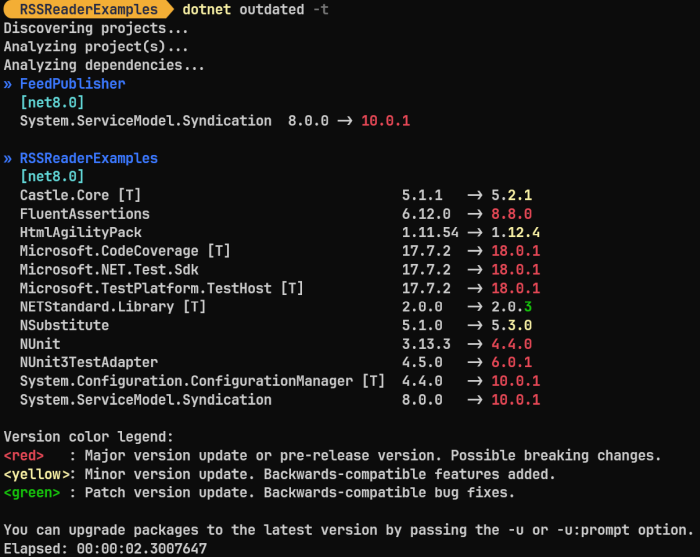
By default, dotnet-outdated only looks at the direct dependencies. For most cases this is enough. But if you are interested in the transient packages (the packages on which your dependencies depend), then you can use the -t option:
This shows us more outdated packages that we may not be able to update on our own:
Upgrade the dependencies
We can use dotnet-outdated to upgrade the dependencies to their newest version with the -u option:
# Update all packages
dotnet outdated -u

# Ask before the update of each package
dotnet outdated -u:prompt
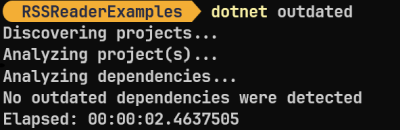
It may take a while, but at the end all packages should be up to date:
Do not forget to run your tests to see if everything still works!
Conclusion
The tool dotnet-outdated is a great little helper to find outdated packages and to update them. It is fast and works with larger solutions as well as it does with small ones. If you have a lot of solutions, this tool is a great help and can save you a lot of time when you do not need to open Visual Studio for those updates.