Get Insights Into Your Claude Code Usage
Claude Code gave us in April a new feature that allows us to see how we use Claude Code. Even better, it is not only a tool to show us what we did, but it helps us to get better. Let us see how it works.
The insights command
We can use this command to see what Claude Code knows about how we use it:
This command will run for a while and when it is done, we get a nice report in our user-level .claude folder (C:\Users\USERNAME\.claude\usage-data\report.html).
A sample report
Since the insights report is based on what Claude Code knows about your interactions with it on this specific machine, your report will be different from mine. While we all get the same structure, the content will vary greatly. To have something to discuss, we walk through one of my reports.
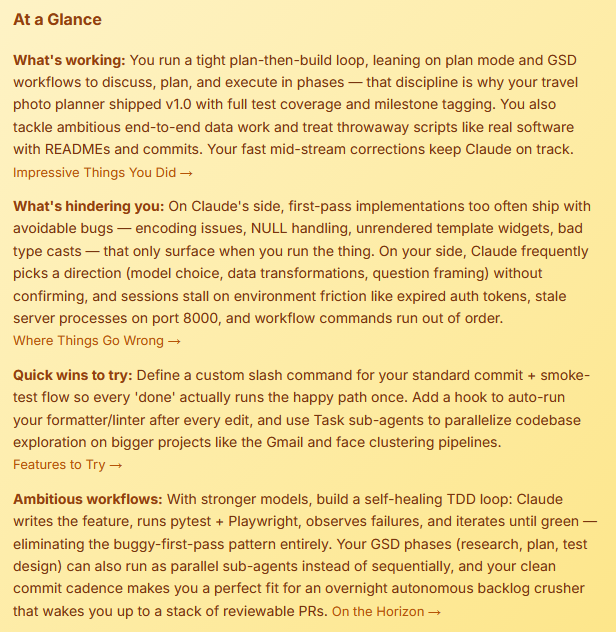
At a Glance
This section right at the top gives you a quick overview of the insights Claude collected. You can read this part and if you are not interested, you can skip this feature entirely. The results I saw with different developers always caught our attention and we eagerly kept reading the rest of the report.
What You Work On
This section goes through the different projects you were working on with Claude. It offers a bit of statistics and a summary of each project:
How You Use Claude Code
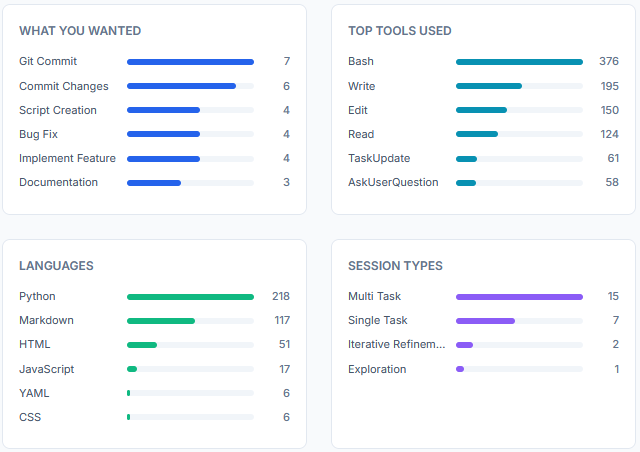
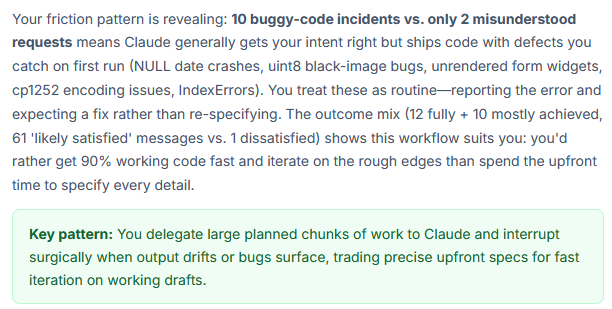
This is one of the most interesting parts to understand how you interact with Claude Code. We learn about our style, how we use Claude, and how we act if something goes wrong.
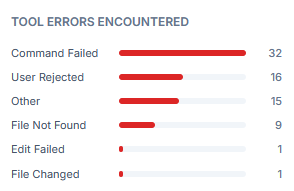
From the additional statistics we get I find the tool errors the most interesting part:
Impressive Things You Did
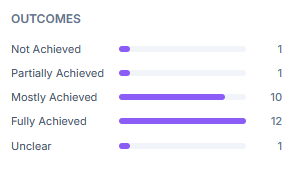
Here Claude reminds us how great it did and how helpful it was. Take it with a grain of salt and focus on the statistics on the outcome:
Where Things Go Wrong
This is a much more interesting section, because here we can see what we were struggling with. In my case, whenever Claude Code started running before I could say what I need it to do, we ended up with a mess. It also caused a lot of environment-related friction, which made the experience less helpful.
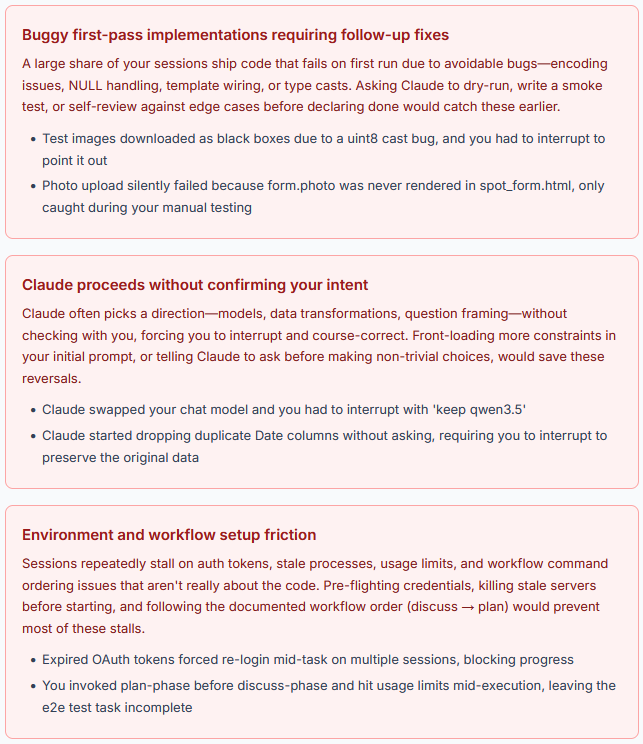
Read this section as a reminder on what to focus on with the following suggestions.
Existing CC Features to Try
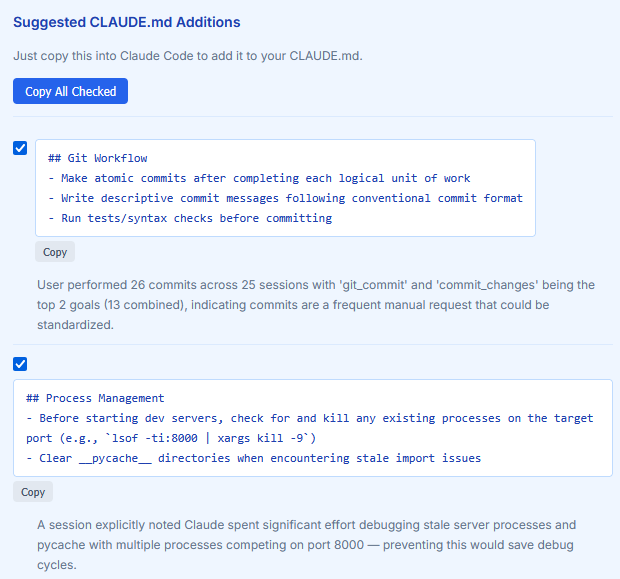
This section is the most actionable of the whole report. We get a few suggestions on how to improve our CLAUDE.md file. We can use a single button and copy the suggestions to the clipboard:
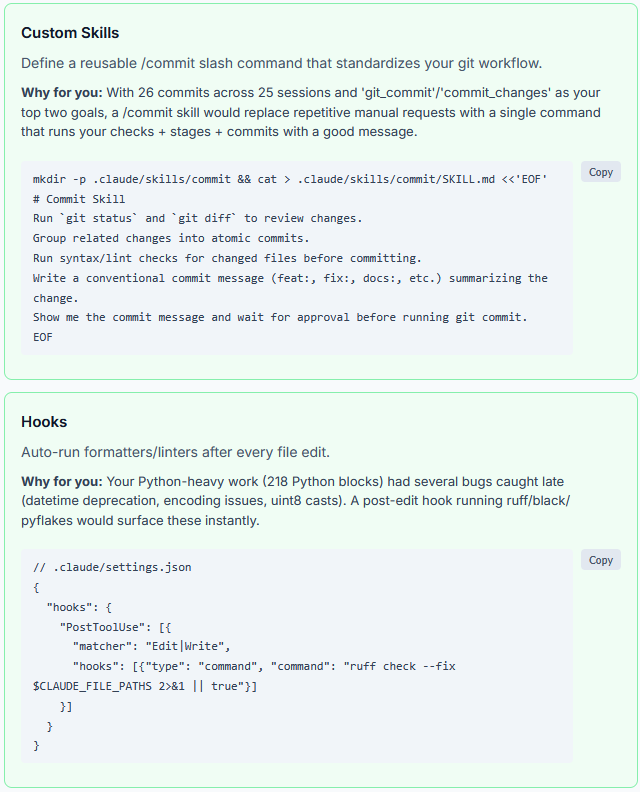
Claude noticed a few problems that it could solve with a skill and a hook. For both parts we get the whole code to put it into action:
New Ways to Use Claude Code
This section is not as actionable as the one before, but it should be read carefully. Claude tries to help us by suggesting prompts that we could use in our sessions. If they work out, we can rewrite them a bit and put them into our CLAUDE.md file.
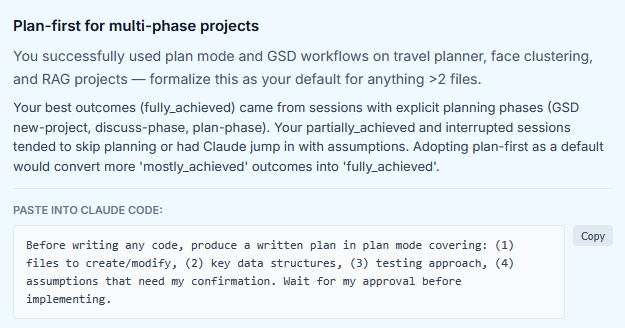
On the Horizon
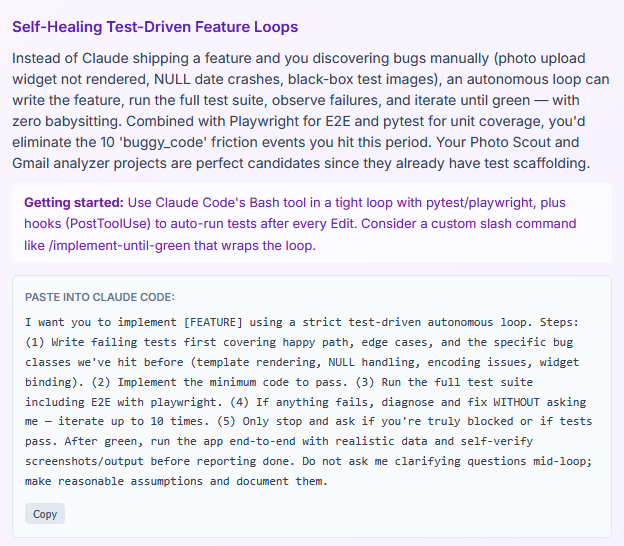
In this last section, we get a few more tips on how to interact with Claude Code. We can once more take the suggested prompts, copy them and paste it into our session:
What do we do with these insights?
I found my insights report to the point. The problems I had with Claude Code were in it and I got a nice reminder of all the successes I had. That gave me the confidence that this report is not just a pleasing-mechanism to tell me how great Claude is but instead offers a real benefit.
However, knowing what to improve will not change much unless we put it into action. That means we must carefully read the suggestions for our CLAUDE.md file and include them if we want to get a better experience. The same is true for the suggested skills. If we keep the knowledge in the report, it will not change much for us.
Next
The new insights feature of Claude Code is in my opinion a great help to better understand how to interact with Claude. It gives us not only an overview of the past projects, but clear and directly usable suggestions for skills and the CLAUDE.md file.
Next week we take a closer look at the CLAUDE.md file and I share some helpful resources to further improve this important part of Claude Code.