Goodbye 2019, Welcome 2020
2019 was a year full of challenges and I am happy that it is over. I use the time between the holidays to recharge my batteries so that I will be ready to tackle the changes that 2020 will bring.
2019 was a year full of challenges and I am happy that it is over. I use the time between the holidays to recharge my batteries so that I will be ready to tackle the changes that 2020 will bring.
Some super simple tricks take a long time until you find them. The little trick of this post is probably around since the Windows Operating System got its first graphical user interface. You can browse to a folder in the Windows Explorer and then type cmd into the address bar:
Most security scanners detect the activated OPTIONS method of HTTP/S and report them as a potential problem. This method can help an attacker to find out about your server configuration and offer a shortcut to other vulnerabilities. However, there are valid use cases to use the OPTIONS method, like for REST APIs or CORS. If you need the OPTIONS method for those use cases, you need to keep it active and should document their usage in your architecture documentation.
One of the most important concepts of object-oriented design is encapsulation. You try to hide all the internal things of a class from the other developers and only offer them a subset of functionality to use. You can achieve this by setting an appropriate access modifier for your methods and classes:
The world keeps turning and when you do not actively spend time to update the dependencies of your projects, you will fall behind. First one minor version, then another and before you know, there are a few new major versions released and your project is full of security risks.
We all know that his happens and even when we try to keep everything up to date, sooner or later we fall behind. We cannot give up, then that makes it even worse. There is only one way forward: Update your projects. But where should we start? And how bad is it now?
I use DbUp for all my database migrations. It is super simple and when something goes wrong, you can fix it without much effort. So far, I never had any problems with the embedded scripts approach as it is explained in the Getting Started section of the official documentation and in my blog post.
However, while trying to get Docker working with DbUp I noticed that I must do a lot of extra work when I need to create a separate DbUp image for every migration project I use. It would be much simpler when I could reuse my DbUp project and only replace the SQL scripts. Unfortunately, the embedded scripts approach requires a rebuild of the project and I am back at the beginning.
A few days ago, I got an email about problems with comments on this blog. When you tried to post a comment you only got this error message:
Forbidden
You don't have permission to access /wp-comments-post.php on this server.
Let’s Encrypt offers free SSL certificates to protect the traffic between your website and your visitors. Earlier this year I wrote about the hoops you need to jump through to use those certificates on Azure. This post shows you a way to use Let’s Encrypt certificates on your on-premises servers.
The objective of Let’s Encrypt and the ACME protocol is to make it possible to set up an HTTPS server and have it automatically obtain a browser-trusted certificate, without any human intervention. This is accomplished by running a certificate management agent on the web server.
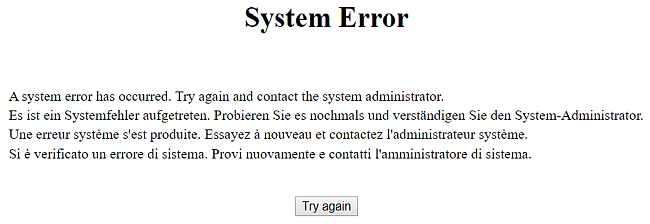
A few weeks ago, we run into a strange problem. We were in the middle of our Let’s Encrypt rollout, in which we create a dedicated certificate for each of our domains. Since we run multiple domains on a single web server with only one IP address, we need to activate SNI (Server Name Indication). That worked on all our servers - expect one. That server gave us this useless error page:
Our latest upgrade of SonarQube took far more time than expected. I did a few upgrades in the last two years, but none was such a challenge. Everything that can go wrong has gone wrong, and without my prior experience, I may have given up. Let me point out the obstacles you may encounter and give you a few tips to find the cause of these problems.